THE EVENT DELIVERY LAYER FOR YOUR APIs
One POST in. Everywhere it needs to go.
Send one Event to a Project and API Rabbits handles the delivery work: routing, field mapping, retries, and a complete record of every Delivery.
One Event in. Every Delivery accounted for.
Where APIs multiply like rabbits.
Diagram: a single incoming request is accepted by API Rabbits, then delivered independently to four Rabbits — CRM (200 OK), Slack (200 OK), Analytics (202 Accepted), and a Custom API (201 Created).
Send one Event. See every Delivery.
A live preview of the delivery path: one Event enters a Project, then each Rabbit completes independently.
- CRM
- Slack
- Analytics
- Webhook
The delivery layer between your Events and the systems that need them.
API Rabbits gives your Events a reliable path to every destination. Send one request to a Project, then map, route, and deliver it to multiple APIs or webhook endpoints independently.
Configure Rabbits once and keep your product code focused on producing Events. Routing, retries, queues, logs, authentication, and Delivery status stay in the infrastructure layer.
One Project. Every delivery path.
Create a Project
Every Project gets its own inbound endpoint and API credential. Send it JSON from your app, form, vendor, webhook, or existing system.
Add Rabbits
A Rabbit is a destination. Connect an API, choose a template, map fields, and decide when it should receive events.
Send once
API Rabbits queues the event and independently delivers it to every Rabbit that matches your rules.
Your product should not be your delivery infrastructure.
Keep the integration surface small. Keep the delivery layer dependable.
WITHOUT API RABBITS
- Build endpoint
- Build integrations
- Store credentials
- Transform payloads
- Handle timeouts
- Build retries
- Handle 429s
- Track failures
- Build replay
- Store logs
- Monitor queues
- Maintain all of it
WITH API RABBITS
POST once.
We handle the fan-out.
The delivery layer your production events deserve
The operational details stay in one place, so your product code can stay focused on the event itself.
API-key auth, not OAuth mazes
Every Rabbit connects with the API key, Bearer token, or Basic auth credential you already have. No app review, no redirect URIs, no waiting on a platform to approve you.
Per-Rabbit routing rules
Send everything, only during business hours, only after hours, or only when a field matches a condition you set. Rules run before delivery, per Rabbit, per project.
Automatic retries with backoff
A timeout or 5xx gets retried automatically with exponential backoff. A 4xx is treated as final and surfaced immediately — no silent retries against a request that will never succeed.
Full delivery history
Every attempt is logged: status code, latency, response body, and which rule matched or skipped. Replay a whole event or retry a single Rabbit from the same record.
SSRF-checked outbound requests
Destination URLs are resolved and validated before every call. Private, loopback, and metadata address ranges are rejected outright, on every request, every time.
Built for independent Delivery
Each Rabbit fires independently and in parallel. One slow or broken destination never blocks or delays the others on the same event.
Receive from anything. Deliver anywhere.
Any system that can call a webhook can send events in. Templates give you a fast starting point for common destinations — Custom HTTP covers the rest.
Receive from
Send to
Every Rabbit has its own delivery policy.
Rules are set per Rabbit, not globally. Send everything to Slack but only send after-hours alerts to on-call paging. Route enterprise leads to Salesforce and everyone else to a spreadsheet webhook.
Always
Deliver on every matching event, no conditions.
Business hours
Only Mon–Fri, 9am–6pm, in the timezone you set.
After hours
The inverse — nights, weekends, holidays covered.
Field conditions
plan equals "pro" and country not_equals "US", for example.
Built for the event that has to go more than one place.
When one Event needs to reach several systems, give it one Project and let each Rabbit handle its own Delivery.
A failed destination doesn't lose the Event.
Timeouts and 5xx responses get retried automatically with exponential backoff, up to three attempts. A 4xx is treated as final immediately — we don't retry a request that will never succeed. Every attempt, successful or not, is written to a permanent delivery record.
When something still fails, replay the whole event or retry a single Rabbit from its exact delivery record — same payload, same mapping, a fresh attempt.
Delivery timeline — CRM Rabbit
- 200Delivered on the first attempt.
- 503Destination times out — queued for retry.
- 503Retry #1 fails — backing off.
- 200Retry #2 succeeds. Delivery marked complete.
Know what happened to every Event.
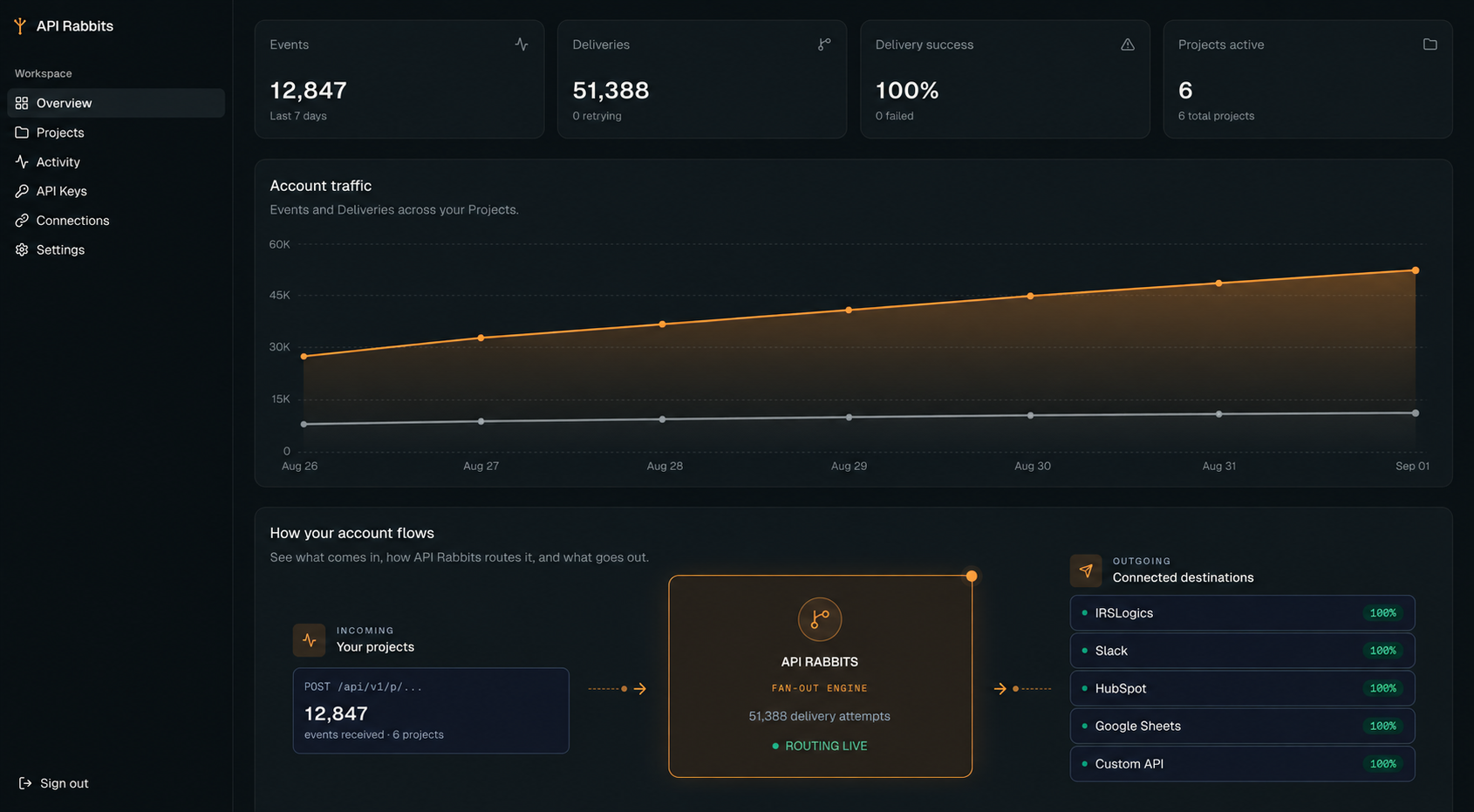
Activity is a live, reverse-chronological log of every event your Projects receive — which Rabbits it matched, what each one returned, and how long it took. Click into any event to see the exact outbound body that was sent.
Your integration starts with one POST.
Every Project gets a single inbound URL and an API key. POST JSON to it from anything that can make an HTTP request — a form handler, a webhook receiver, a backend job. No SDK required.
curl -X POST https://api.apirabbits.com/v1/p/product-signups \
  -H "Authorization: Bearer arb_live_ab12cd34_••••••••" \
  -H "Content-Type: application/json" \
  -d '{
    "email": "sam@acme.com",
    "plan": "pro",
    "source": "product-hunt"
  }'

# 202 Accepted
{ "eventId": "evt_01M0H0G3F8K7YQ" }
Pricing that follows your Event volume, not your architecture.
Pick a plan by Event volume. Every plan includes routing rules, field mapping, retries, and Delivery history.
Starter
For small teams routing their first production events.
$29/ month
- 25,000 events / month
- 3 projects
- 5 Rabbits per project
- 7-day activity retention
- Email support
Growth
For teams fanning out production traffic to multiple systems.
$79/ month
- 100,000 events / month
- 10 projects
- 10 Rabbits per project
- 30-day activity retention
- Delivery replay
- Priority support
Pro
For high-volume infrastructure with strict reliability needs.
$199/ month
- 500,000 events / month
- 50 projects
- 10 Rabbits per project
- 90-day activity retention
- Delivery replay
- Audit log export
- Priority support
Need more volume or dedicated support? See full plan details.
FAQ
Questions you probably have
One endpoint. Every destination.
Give your Events a reliable path to production.
Create a Project, add your Rabbits, and send one Event. API Rabbits handles routing, retries, and the full record of every Delivery.
Founding plans start at $29/month. Cancel anytime.